






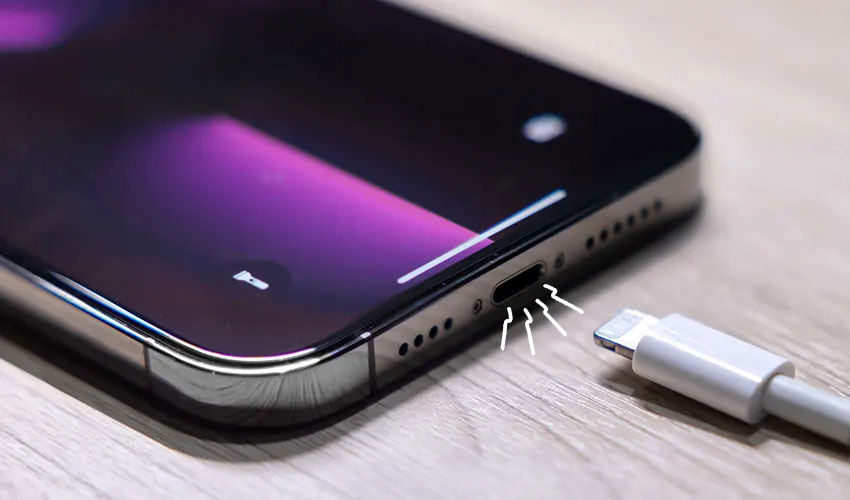
Many modern smartphones support fast charging, allowing users to quickly power up their devices during the day.
But sometimes phones still charge slowly—even when connected to a fast charger—leaving users frustrated.
Most modern smartphones, including the latest models from Apple and Samsung, support fast charging technology.
For example, the iPhone 17 supports charging speeds of up to 40 watts, while the Samsung Galaxy S26 Ultra can reach 60 watts. Some Chinese smartphone brands even offer faster charging capabilities.
These technologies are designed to provide a significant battery boost within minutes, particularly when users need to quickly recharge during busy days.
However, several factors can prevent a phone from reaching its expected charging speed.
Checking phone and charging accessories
When diagnosing slow charging, experts say users should examine every component involved in the charging process.
This includes the phone itself, the charging cable, the power adapter, and even the environment in which the device is being charged.
The first component to inspect is the charging port.
Over time, dust and lint can accumulate inside the port, weakening the connection between the cable and the device. Cleaning the port carefully may help restore normal charging speeds.
If the phone has been exposed to liquids, charging may also be temporarily affected. In such cases, users should allow the device to dry completely before connecting it to power.
Wireless charging may be used as a temporary alternative if immediate charging is necessary.
Faulty or incompatible charging cable
The charging cable is another important factor.
Ideally, users should rely on the cable provided with their smartphone, as it is designed to support the device’s fast charging standard.
If using third-party cables, it is recommended to choose ones that support **USB Power Delivery and can handle high power output, sometimes up to 240 watts.
Damaged cables can also slow charging speeds and may need to be replaced.
Power adapter limitations
Another common issue lies with the power adapter.
Many smartphones today are sold without a charger in the box, meaning users often rely on older adapters.
For example, to achieve the maximum charging speed on an iPhone, the adapter must support the required wattage—such as 40 watts.
Using multi-port chargers may also reduce charging speed if the port connected to the phone cannot deliver enough power.
Environmental factors that affect charging
Charging performance is also influenced by the surrounding environment.
Users should check the power outlet or extension cord being used, as faulty outlets may limit power delivery. Testing different outlets at home or in the office can help identify such issues.
Temperature can also play a significant role.
High temperatures—such as during hot summer days or when a phone is exposed to direct sunlight—can slow down charging speeds as smartphones attempt to prevent overheating.
Another factor is how the device is used during charging.
Running power-intensive apps, games, or multitasking while charging can heat the phone and slow the charging process.
Allowing the device to cool down, turning off the display, and limiting background apps can improve charging performance.
Users should also check device settings such as Optimized Battery Charging on iPhones or Fast Charging settings on Android phones to ensure they are properly enabled.
Battery health may be root cause
If none of the above steps resolve the issue, the battery itself may be responsible.
Batteries naturally degrade over time, and physical damage or aging can significantly affect charging performance.
In such cases, experts recommend having the device inspected by a professional technician, who may suggest replacing the battery or other internal components.







.jpg)